









































Golden Kitchen
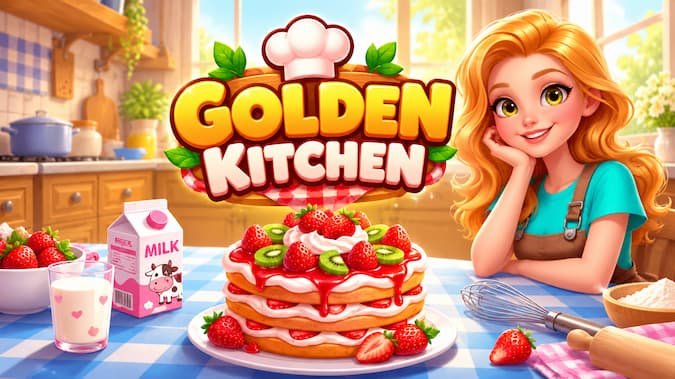
Golden Kitchen: This is a kitchen management/cooking game where you will have a restaurant serving fast food and cater to as many customers as you can. Every customer that walks into the restaurant has a favorite dish and hates to wait. You prepare the dishes, take orders, and collect the bills before your patrons grow impatient. The more levels you make, the more dishes, and that takes fast hands and the ability to handle things.
Who published Golden Kitchen?
AZ Games released Golden Kitchen on Oct. 28, 2026. Golden Kitchen is created with HTML5 to play in modern browsers and is playable on your computer, phone, and tablet for free without any download. Golden Kitchen is a free game that is often out in "unblocked" versions for schools or offices depending on the rules of the school or office.
What makes Golden Kitchen exciting?
After every level, you earn money to improve and expand your restaurant, just like in Golden Kitchen. Begin with only the basics of a kitchen, and add tools, unlock new ingredients, and try different styles of cooking.
Key features of the game include:
30 main levels: The number of customers gradually increases from 4 to 21, along with higher revenue targets.
Various toppings: Unlock whipped cream, blueberries, chocolate, and strawberries to prepare different pancake combinations.
Kitchen upgrades: Purchase additional pans, plates, and better coffee machines to handle multiple orders efficiently.
Combo system: Serve customers in quick succession to collect bonus coins.
Special rewards: Earn extra coins by completing Hard and Super Hard levels on your first attempt.
Replay challenges: After finishing Level 30, continue through up to 10 additional rounds with more demanding objectives.
How to Play Golden Kitchen: A Beginner's Guide
Check Each Customer's Order
When customers enter the café, their requested dishes appear above their heads. Look carefully to determine whether they want coffee, a plain pancake, or a pancake with specific toppings.
Cook Pancakes and Brew Coffee
Press Space to pour pancake batter onto the pan. Each pancake takes approximately six seconds to cook, but leaving it for 15 seconds will cause it to burn.
Once the pancake is ready, press E to move it onto a plate. If it burns, you must remove it before using the pan again.
Add the Correct Pancake Toppings
After placing a cooked pancake on a plate, decorate it according to the customer's order. New ingredients become available as you progress:
Level 3: Whipped cream and blueberries.
Level 5: Chocolate.
Level 7: Strawberries.
Serve Customers and Reach Your Revenue Target
When an order is ready, click the corresponding customer or press the number keys from 1 to 4 to serve the dish. The number of remaining hearts determines how many tip coins you receive:
3 hearts: 12 coins.
2 hearts: 8 coins.
1 heart: 5 coins.
Tips for Effective Kitchen Management
To overcome challenging levels in Golden Kitchen, consider the following strategies:
- Prioritize impatient customers: Monitor waiting times to determine which orders to fulfill first.
- Multitask: Use the time while food is cooking to prepare ingredients for other orders.
- Upgrade strategically: Invest your earnings in improving the equipment that most frequently causes delays.
- Avoid mistakes: Double-check toppings and ingredients before serving to prevent waste.
- Use boosters wisely: Utilize speed-up tools to help manage busy levels with high customer volume.
- Use combos wisely: When multiple dishes are nearly ready, coordinate their delivery sequence to earn extra bonuses.
Control
To summarize
If you enjoy serving hungry customers delicious cuisine and expanding your restaurant empire, then Golden Kitchen is for you. You’ll start with simple orders, and soon you’ll be in a crazy kitchen with no time to spare! Play Golden Kitchen today, conquer culinary challenges, and climb to the top of the leaderboards!
Want more kitchen action?
Discuss Golden Kitchen