










































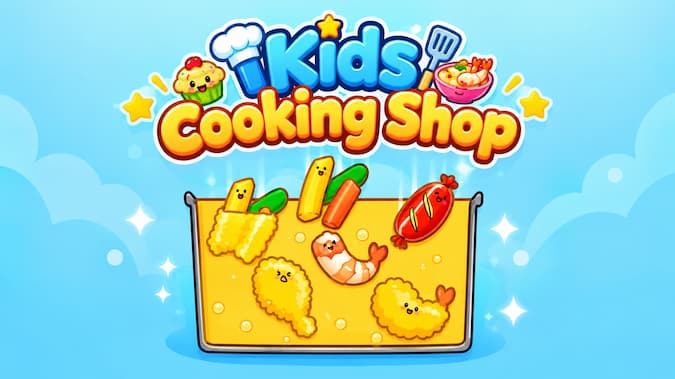
Kids Cooking Shop is a cooking game for children about running a small food stall with adorable animal customers. Gameplay involves preparing ingredients, frying food, and quickly serving the correct orders.
Beginning your shift
First watch what the customers are ordering. Tap or drag ingredients into the fryer and wait for the food to cook. Once ready, serve the dish to the corresponding customer to complete the order and earn coins.
Controls are easy so new players can learn to run the stall fast. As the number of customers increases, you will need to pay closer attention to cooking times and the order of service.
Earnings you reinvest into growing your store
The coins you get from each order are not just for collection; you can reinvest them to improve your stall's service capability.
- Buy new ingredients: Stock up on the components needed for your dishes.
- Unlock dishes: Discover new menu options.
- Upgrade the fryer: Improve cooking efficiency to handle tasks more easily.
- Enable auto-cooking: Reduce manual effort when the shop is busy.
- Decorate the stall: Change its look with various items and themes.
Special customers
The atmosphere is fun with the animal visitors and inspires you to get the orders done. Each customer may request a different dish, so observe carefully before you start cooking.
Once you know the basics, you can continue upgrading the shop to serve more customers. Advancement gives a reason to find new content. It makes the gameplay fun instead of a chore.
Minigames
Kids Cooking Shop also sells food and has mini-games to break the pace. You might encounter challenges like slicing sushi or protecting eggs, which require faster and more precise movements.
These mini-games are a fun diversion if you want a break from frying and serving food. Completing them also adds variety to your shop-management journey.
Kids Cooking Shop Controls
On both PC and mobile, you mostly interact with the ingredients, equipment, and items in the shop by dragging. The intuitive controls make the game easy to pick up, especially for younger players.
Tips for Managing Your Food Stall
- Check customer requests before you start cooking.
- Prioritize orders that customers currently need.
- Save up coins to upgrade equipment rather than focusing solely on decorations.
- Unlock new dishes to offer a wider variety of menu items.
- Use automation features when the shop starts receiving a high volume of orders.
- Try out the mini-games to get familiar with different types of tasks.
Abstract
Kids Cooking Shop is a relaxed and accessible experience where you can cook, serve customers, and develop the shop. You can start with a tiny food stall and then slowly grow your menu, upgrade your equipment, and build a bright, colorful shop. If you enjoy simple cooking games, step into the kitchen and start serving adorable customers today.
Discuss Kids Cooking Shop