



Papa's Pizzeria
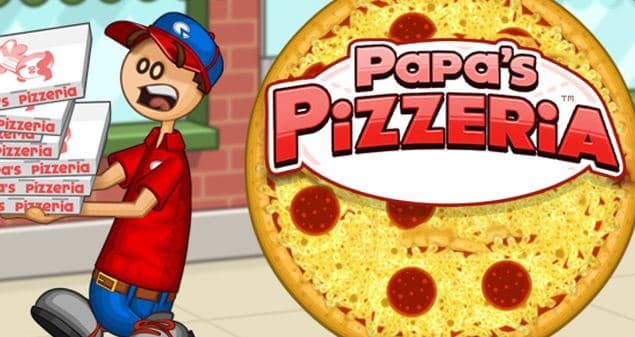
Papa's Pizzeria allows you to play as a manager of a pizza shop that is short-staffed. Simple job, right? Then the customers start coming in. They want different things. Things get hectic.To keep the customers happy, you have to take orders, prepare ingredients, bake the pizzas, and slice and serve them just as they asked.
What is Papa's Pizzeria?
Papa’s Pizzeria is a restaurant and food management game from the well-known Papa Louie series. With Papa Louie gone, you take over the pizza shop and handle every step of daily operations yourself.
Every customer has their own taste in toppings, baking style and amount of slices. Consequently, a single mistake or slow service can lower your order rating.
The happier your customers are, the more tips you will get. You can use these earnings to upgrade the shop, buy new items, and better prepare for future workdays.
How to Play Papa's Pizzaria
Order Taking
Each service round starts at the order station. Customers will tell you what pizza they want and any specifications. Pay close attention to every detail before you start making the pizza.
The number of customers increases, and it becomes more difficult to follow orders. It is a good idea to double-check the requirements before each step to minimize errors.
Making the pizza
Once an order is received, the pizza maker heads to the station and starts adding toppings. Toppings can range from meats and vegetables to special ingredients.
The key is that not every customer orders the same recipe. A pizza loaded with ingredients won't necessarily get a high rating if it isn't what the customer actually asked for. Baking to Perfection
Once the toppings are added, the pizza must go into the oven. Timing is crucial at this stage, as every order has specific requirements.
Slicing and Serving
After the pizza is baked, move on to the final step: slicing. The number of slices depends on the customer's request.
Processing Multiple Orders
The first few days are quite easy because there are not that many customers, so you will have time to get used to each part of the shop. Later on, however, service speed becomes a key part of the game.
When multiple orders come in at once, make the most of downtime during one task to handle another. For instance, while a pizza is baking, you can take a new order or prep ingredients for the next customer.
Shop Upgrade
The earnings from serving customers can be used to upgrade the pizzeria. New items not only enhance the shop's appearance but also streamline your workflow.
As your business expands, you’ll have more choices to tailor the layout and equipment. A well-organised shop makes operations much smoother during busy periods.
Tips for Playing Papa's Pizzeria
- Read each order carefully before you start making the pizza.
- Watch the baking times carefully to avoid overcooking the pizza.
- Handle other orders while waiting for a pizza to bake.
- Prioritize time-consuming tasks first to avoid a backlog of work.
- When the shop is busy, frequently double-check the orders currently in progress.
- Use your earnings to buy upgrades that suit your management style.
Controls
- Use the left mouse button to select areas, interact with ingredients, and perform necessary tasks around the pizzeria.
Highlights of Papa's Pizzeria
- A simulation of managing a pizza shop.
- Involves multiple steps, from taking orders to serving the finished product.
- Customers have diverse preferences and specific requests.
- Requires multitasking and juggling various tasks simultaneously.
- Features a system for earning money and upgrading the shop.
- Easy to pick up, yet demands precision during busy periods.
- Ideal for fans of cooking and time-management games.
Quick Questions
What are the steps involved in Papa's Pizzeria?
You take orders, prepare toppings, bake the pizzas, slice them, and serve them to customers.
Does making a pizza incorrectly affect your score?
Yes. Errors regarding ingredients, baking time, or service can result in lower customer ratings for the order.
What is the in-game currency used for?
You can use your earnings to purchase items and upgrades for the shop.
Can you handle multiple pizzas at once?
Yes. You can utilize waiting times to prepare and process multiple orders, provided you keep a close eye on each pizza.
Discuss Papa's Pizzeria